If you have used MVC and/or Razor syntax for any length of time, you have run into the need to populate a select list in your HTML. MVC and Razor offers the deceptively simple html helper @Html.SelectListFor…and then the trouble starts.
The MSDN documentation on this is as obfuscated as most of the newer examples, with the syntax given in loving detail and not one concrete example of how to actually USE the bloody thing…not that I’ve wasted hours of my life on this or anything…
So, as promised, a cure for this headache:
I like to reuse several lists, so I made a class I call “SelectListHelper” that hits my EF data and gets the items I need, then returns an enumerable list of SelectListItem. An example is shown that selects the types of organizational trees.
	public IEnumerable<SelectListItem> OrgTreeTypes()
			{
			IList<SelectListItem> Items = new List<SelectListItem>();
			Items.Add(new SelectListItem
			{
				Text = "(Select Org Tree Type)",
				Value = string.Empty,
				Selected = true
			});
			var trees = from t in cue.OrgTreeTypes
						orderby t.Name
						select t;

			foreach (var typ in trees)
				{
				Items.Add(new SelectListItem
				{
					Text = typ.Name,
					Value = typ.Code
				});
				}
			return Items;
			}
		}
Remember you have to add
using System.Web.Mvc;
to the class to get the type of SelectListItem you want to collect.
Now I use that list of items in my page (slh is the instance of the SelectListHelper class I initialized earlier in the module):
@Html.DropDownListFor(model=>model.OrgTreeType.Code,slh.OrgTreeTypes(),Model.OrgTreeType.Code)
The first parameter is the property I want to tie to the value of the list, the second is a list of SelectListItems, and the third is the value to which the selection should be set on load. If I omit the third parameter, or if the value in the model doesn’t match any list item, the first item will be selected.
Using a list of items created separately saves my having to add all of the items dynamically in the code, and allows me to reuse that list elsewhere.
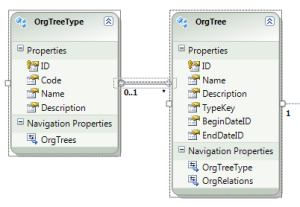
Note that I am creating a select list for the related property of the OrgTreeType object. EF makes this nice and easy–I used the PK of that table in my Org Trees table, but I can use the code (which is a sting and works better than the GUID I have to use as a PK) and then just march back up the relationships when I write the update code back in my controller or repository.
I hope this is a little less of a headache than following the MSDN documentation!
LZM

I have been a Microsoft developer for 20 years, during which time I have mostly learned from books, videos, online tutorials and blogs, and most by sheer painful trial and error. Dev Aspirin is my offering to relieve some of the headaches I encountered so you don't have to share the pain.


 Developer Aspirin
Leave a comment